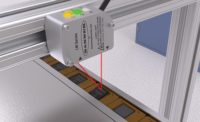
In this example, the USB camera is connected directly to the beagle board, which can output to a high-definition multimedia interface device if a human machine interface was so desired. Source: Sight Machine
When I presented at the Quality Measurement Con-ference earlier this year, I spent quite some time talking about the history of open source and how it has prevailed in other industries, so I did not get to go into depth of what I really wanted to talk about: an example of how easily and cheaply an open source vision system can be built in a modern day scenario. Thankfully, I have been given the opportunity to redeem myself and will use this to give a quick tutorial on how to build your own open source vision system to read a data matrix.
Please keep in mind that this is just a proof of concept. One is more than welcome to expand on it, but it is meant to show what is capable with an open source system. There are many advantages, such as a proprietary system not having a 24/7 development cycle across the globe. Also, understand operators do not have to use the exact same hardware setup as explained here, and in no way am I promoting any particular brand; it is just what I have used for this proof of concept.
This system will be using an off-the-shelf Logitech camera, which supports 640 by 480 (at 30 frames per second if needed, not so in this case). Given more time, a pinhole camera could have been used, although the driver interface would probably have to be written as well. I choose the Logitech camera as I know the driver support works in Linux. I am using Ubuntu Linux 10.04 with the v4linux (video for Linux) libraries installed, but realize that you do not have to use Ubuntu or Linux for that matter. The libraries used here to do the image processing will be cross platform, so if operators can acquire an image then they should be able to run the matrix detection on it.

Figure 1. This provides a visual overview of a very crude setup to use for the inspection of the matrix. Source: Sight Machine

Figure 2. The camera is powered and controlled via USB. This can be done directly from a PC until testing is performed to make sure everything is set up correctly. Source: Sight Machine
Image Processing Libraries
After the hardware is determined to be working correctly, then operators need to install the image processing libraries. The first one needed is a cross platform data matrix library called libdmtx (www.libdmtx.org). This library is meant to read many of the various data matrix encodings and supports many various languages (such as C and C++), as well as supplies wrappers or dll’s if operators would like to include it in the application. It also can handle various perspectives so one does not necessarily have to be normal to the part. (The example is for simplicity’s sake.)Libdmtx can be installed from the Linux software repository as well. They also will need compiler tools, typically the build-essentials library package, gcc and/or g++ in the software repository should install what is needed to compile the software. Operators can follow the example C or python program listed on www.libdmtx.org to try and get a compiled version working. Operators will find they can encode and decode image files very easily, but in this case we also want to acquire an image for the read.
This brings us to the next library needed: openCV (http://opencv.willowgarage.com), which can be installed from the repository. There are many examples of openCV programs freely available online, and if operators follow the simple tutorial they will see how to acquire an image from a Webcam. Another reason I chose to use openCV was that it supports all kinds of vision system tools-in this case, image morphology.
I would recommend following a basic example to ensure that one can acquire an image with a simple C program. After a simple image is acquired, operators can perform various image morphology to it. Figure 3 shows an example of the system reading the data matrix encoded with www.sightmachine.com. On the right side, a dilate was performed as made the matrix undetectable.

Figure 2. The camera is powered and controlled via USB. This can be done directly from a PC until testing is performed to make sure everything is set up correctly. Source: Sight Machine
One can also easily make this an embedded system if so desired. In this case, I am using a beagle board (http://beagleboard.org), basically an open hardware embedded PC that will run Linux. Since it can run Linux, one can easily port this application over to it. It is also possible to use a low-cost complementary metal-oxide semiconductor (CMOS) camera with auto exposure and auto focus to help with part variance compensation. Or, in this example, the USB camera connected directly to the beagle board, which can output to a high-definition multimedia interface (HDMI) device if a human machine interface (HMI) was so desired.

The open source project Harpia is shown and easily allows you to chain together multiple openCV tools for testing. Source: Sight Machine
Harpia
Something else to take a look at is another open source project called Harpia. It is only available for Linux and is located in the software repository. Harpia easily allows operators to chain together multiple openCV tools for testing. This would make it much easier to play around with tools, instead of having to expose the parameters through an interface or recompile each time a change was made.One other thing worth mentioning is that I did not set up any communications, although this could easily be programmed using raw socket connections. Various other protocols such as profinet would probably take considerable work, but once the first setup was complete, each successive application would be much easier.
I mentioned the cost vs. time trade off with open source software. The main idea here was this is a proof of concept. Keep in mind that this setup and installation takes more engineering time than, say, a standard vision integration setup, but is probably at least a factor of 10 times cheaper. So depending on how skilled of a vision engineer and programmer is involved, it could be quite profitable when offering it as a solution as opposed to a proprietary solution. I know there are a lot of data matrix readers out there that do not support image morphology, or processing speed ups like Intel’s IPP or TBB for openCV.
Hopefully, this article will inspire readers to investigate some open source software on their own. I predict that it is coming to the market and will be here in a much bigger fashion and way sooner than many believe. V&S
Tech Tips
What is Open Source
The most important difference between software created by the open source communities and commercial software sold by vendors is that open source software is published under licenses that ensure that the source code is available to everyone to inspect, change, download and explore as they wish. This is the essential meaning of open source: the source code-the language in which the software is written and the key to understanding how the software works-can be obtained and improved by anyone with the right skills.More precise definitions extend this basic concept by adding provisions concerning derivative works, the rights to use the software for any purpose, the rights of the original author and prohibitions against discrimination.